ARYNOTE · EVERY PET HAS THEIR OWN STORY
Pet vaccination records, organized for every companion
Keep vaccine names, administration dates and veterinary documents together. Give each pet their own record so you can find the right history at the next visit.
A separate record for every pet
Create individual profiles for your cat, dog or other pets. Keep documents, dates and notes apart even when several animals share the same home.
Dog vaccination records
Copy the vaccine name, administration date and any clinic details from your dog’s booklet into their profile. Check the selected animal before saving, especially when keeping records for both puppies and adult dogs.
Cats and other pets
Cat owners can continue to the detailed cat vaccination guide. Keep veterinary documents for birds, rabbits and other species in their own profiles too; this page does not provide a shared vaccination schedule for all species.
Cat vaccination recordsWhat to prepare before adding a vaccination
The right profile
Select your cat, dog or other pet. Animals sharing a home do not share a vaccination history.
Vaccine and administration date
Use the name and administration date on the document. The upload date may be different from the day the vaccine was given.
Next date
Record only the date or repeat interval provided by your veterinarian. Do not infer it from age or another animal’s schedule.
Document and clinic
Prepare a readable document and any known clinic or batch details. Check the list for the same administration before saving.
What should I check when digitizing my dog’s booklet?
Record each administration with its own date. Do not use today’s date when adding older puppy records. Bring previous records and the original booklet when changing clinics. If a date is illegible, ask the clinic that issued the document to clarify it.
Organize the full health history · Keep medication records too
Prefer paper or Excel?
Start with blank vaccination and medication logs, available without an account. The files do not send reminders.
Free PDF and Excel templatesAdd a vaccination record on the web
These steps describe the web application. Mobile labels and layout may differ.
Select the profile
Sign in on the web and select the animal whose record you are adding. If needed, create their profile with a name and species.
Open a vaccination record
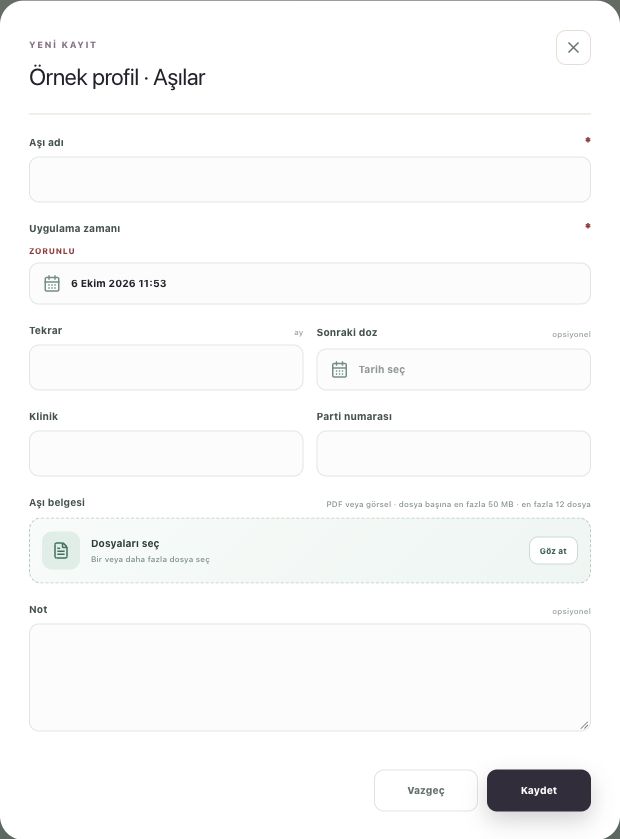
Choose “New record” in Vaccinations. Check the existing list first to avoid recording the same administration twice.
Copy the document details
Enter the vaccine name and administration date from the document. Add a next dose or repeat interval only from information provided by your veterinarian; do not guess an unknown date.
Attach the document and save
Select the PDF or images in the vaccination document field. Add clinic and batch information if known, then wait for saving to finish.
Reopen the saved record
Check that the record appears under the right animal. Open its attachment through “Files” and keep the original official documents as well.
Common questions
Does AryNote set the vaccination schedule?
No. AryNote organizes records; it does not recommend vaccines or intervals for any species. Record the dates provided by your veterinarian.
Does this replace an official booklet?
No. Keep the official documents issued by your veterinarian. Digital records help you find the history and prepare for a visit.
What if I have several pets?
Use one profile per animal. Check the selected name before adding a record or uploading a document.